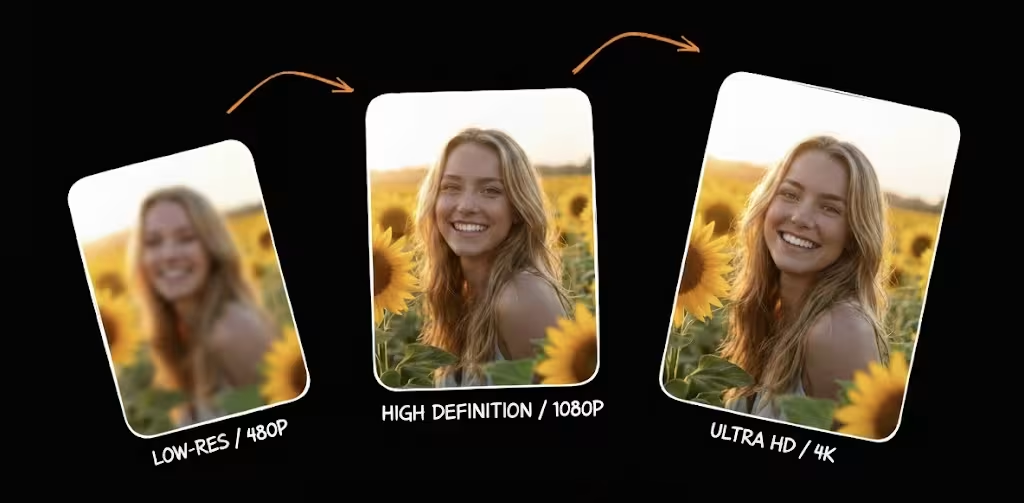
Photo Enhancer — Enhance Image Quality Enhance Photo to 16K for Free
Enhance photo quality with AI in one click. Make any photo crystal clear, vivid, and HD — no skills needed. Works with portraits, landscapes, product shots, and more.
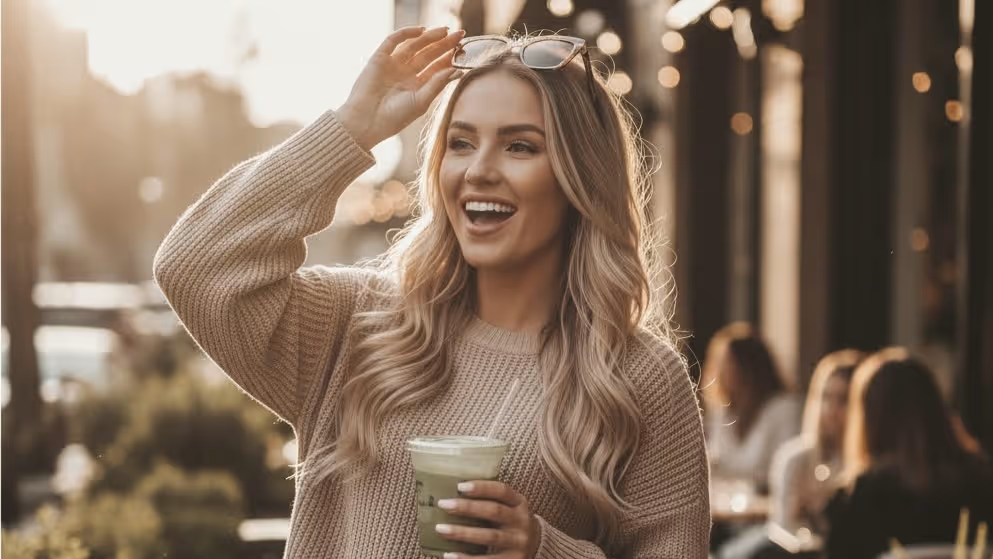
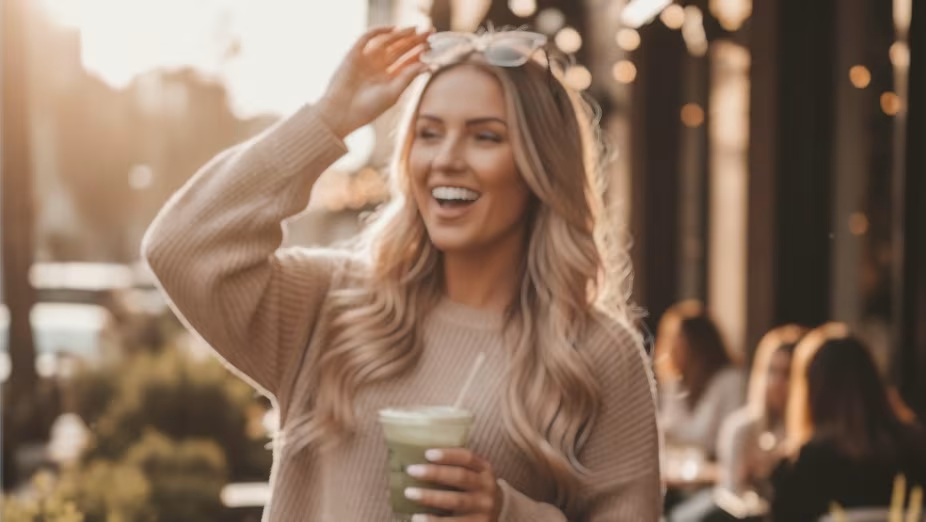
Upload to get high resolution of images
By uploading an image or URL you agree to our Terms of Use and Privacy Policy.
No image? Try one of these:
Trusted by 1M+ Creators Worldwide
See how photographers, designers, and e-commerce sellers use image enhancer to transform their images.


What Photo Enhancer Can Do
A photo enhancer is an AI-powered tool that automatically improves photo quality — fixing dull colors, removing noise, recovering lost detail, and boosting sharpness in one click. Unlike manual editing in Photoshop, an AI photo enhancer analyzes each photo individually and applies intelligent corrections tailored to that specific image. Unlike a generic image quality enhancer, Image Enhancer's Photo Enhancer goes beyond one-size-fits-all filters. It's a photo quality enhancer trained on millions of real photos — portraits, landscapes, product shots, and more — so it understands what "good" looks like for each type. Upload any photo and get enhanced results in about 3 seconds — the fastest photo enhancer online, completely free.
Color & Lighting Correction
Dull, washed-out photos? AI detects and fixes poor white balance, underexposure, and flat contrast — restoring natural, vivid colors and balanced lighting across the entire image. Whether it's a backlit portrait or a cloudy landscape, the photo enhancer brings out what your camera missed.
Detail & Sharpness Recovery
Lost detail from compression or a shaky hand? This pic enhancer recovers fine textures — hair strands, fabric weave, text on signs — without introducing artifacts. For even more precision, try our dedicated Sharpen Image tool for edge-level control.
Noise & Grain Removal
Low-light photos covered in noise and grain? AI separates real detail from digital noise and removes it cleanly — no more muddy, speckled photos. The result is a smooth, professional finish that keeps genuine texture intact. For severely blurry shots, pair this with our Unblur Image tool.
HD Quality Upgrade
Turn any photo into HD quality — even low-resolution images from old phones or screenshots. The AI picture enhancer upscales while enhancing, so you get a bigger, better photo in one step. Need maximum resolution? Use our Image Upscaler for up to 16K output.
Creative Ways to Use Photo Enhancer
From faded family photos to Instagram posts — see how creators use AI photo enhancement in real-world scenarios.
Enhance Old & Vintage Photos
Found a box of faded family photos from the '80s? Upload them and watch AI restore color accuracy, recover lost detail, and remove the haze of decades. For heavily damaged photos with scratches or tears, pair this with Photo Restoration for a complete rescue.
Try It FreeMake Photos HD for Printing
Need a phone photo printed as a poster? The photo enhancer upgrades resolution and sharpens every detail to increase photo quality so your prints come out crisp — not pixelated. Works for canvas prints, photo books, and large-format displays.
Try It FreeEnhance Photos for Social Media
Blurry selfies, dim restaurant shots, noisy concert photos — AI fixes them all before you post. Boost colors, sharpen faces, and remove grain so every photo looks like it was shot on a flagship phone. Optimized for Instagram, TikTok, and LinkedIn.
Try It FreeEnhance Product Photos for E-commerce
Professional product images sell more — but professional shoots cost thousands. Upload your existing product photos and let AI enhance color accuracy, sharpen edges, and clean up noise. Better listings on Amazon, Shopify, and Etsy in seconds, not hours.
Try It FreeHow to Enhance Photo Quality in 3 Easy Steps
No apps to install, no skills required. Enhance any photo in seconds — right in your browser.
Upload Your Photo
Drag and drop or browse to upload any photo — JPEG, PNG, WebP, or HEIC. No signup needed, no file size surprises. Works on desktop and mobile browsers.
- •JPEG
- •PNG
- •WebP
- •HEIC
- •No Signup
AI Enhances Your Photo Automatically
Our AI photo enhancer analyzes your image and applies tailored corrections — boosting color accuracy, recovering fine detail, reducing noise, and sharpening edges to improve image quality automatically. The entire process takes about 3 seconds.
- •Color Boost
- •Detail Recovery
- •Noise Reduction
- •Auto Sharpening
Download Your Enhanced Photo
Preview the before and after side by side, then download your enhanced photo in full HD quality. No watermark, no quality loss. Ready for print, social media, or your portfolio.
- •HD Output
- •No Watermark
- •Print-Ready
- •Free Download
Why Choose Image Enhancer's Photo Enhancer
Not all online photo enhancers are equal. Here's what makes this one different from the dozens of "AI enhancers" you've tried before.
Free with No Strings Attached
Most "free" photo enhancers either slap a watermark on your result, cap output resolution, or force you to create an account before you can even see the preview. Image Enhancer's photo enhancer gives you full-quality enhanced photos — no watermark, no resolution cap on standard enhancement, and no mandatory signup. You can enhance up to about 5 photos per day on the free tier, which is enough for most personal use.
What Users Say About Photo Enhancer
Hear from creators who use our AI photo enhancer to improve their photos every day.
“I photograph 200+ weddings a year and reception lighting is always terrible. I used to spend 30 minutes in Lightroom fixing each batch. Now I upload the worst shots to Photo Enhancer and the AI nails the color correction and noise removal in seconds. Saves me hours every week.”
“My product photos were taken with a phone in my kitchen. After running them through the photo enhancer, they look like I hired a professional photographer. Colors are accurate, edges are sharp, and I've seen a noticeable increase in click-through rates on my listings.”
“I photograph 200+ weddings a year and reception lighting is always terrible. I used to spend 30 minutes in Lightroom fixing each batch. Now I upload the worst shots to Photo Enhancer and the AI nails the color correction and noise removal in seconds. Saves me hours every week.”
“My product photos were taken with a phone in my kitchen. After running them through the photo enhancer, they look like I hired a professional photographer. Colors are accurate, edges are sharp, and I've seen a noticeable increase in click-through rates on my listings.”
“I photograph 200+ weddings a year and reception lighting is always terrible. I used to spend 30 minutes in Lightroom fixing each batch. Now I upload the worst shots to Photo Enhancer and the AI nails the color correction and noise removal in seconds. Saves me hours every week.”
“My product photos were taken with a phone in my kitchen. After running them through the photo enhancer, they look like I hired a professional photographer. Colors are accurate, edges are sharp, and I've seen a noticeable increase in click-through rates on my listings.”
“We manage 5 Instagram accounts and most client photos come in low quality. The AI photo enhancer handles 90% of what we need — better colors, less noise, sharper details. The only thing I wish is that it had a mobile app for on-the-go editing.”
“We manage 5 Instagram accounts and most client photos come in low quality. The AI photo enhancer handles 90% of what we need — better colors, less noise, sharper details. The only thing I wish is that it had a mobile app for on-the-go editing.”
“We manage 5 Instagram accounts and most client photos come in low quality. The AI photo enhancer handles 90% of what we need — better colors, less noise, sharper details. The only thing I wish is that it had a mobile app for on-the-go editing.”
Creators Trust Photo Enhancer
Join photographers, designers, and content creators who enhance photo quality daily with our AI photo enhancer.
Enhance Photos — Choose Your Plan
Start free with up to about 5 photos per day. Upgrade for more volume, higher resolution, and batch processing. Photo enhancement costs 1 credit per photo.
Basic
$58.80 billed annually
Save $156.00/year
Perfect for personal projects
- Up to about 200 images/month
- Commercial Use LicenseYearly Only
- Priority Queue
- Seedance Video Watermark RemovalNEW
- No Watermark
- Up to 8K Output
- Private Generations
- Copy Protection
- Free Video UpscalerYearly Only
- More Free AI ToolsYearly Only
- Batch Generation
- API Access
Standard
$82.80 billed annually
Save $228.00/year
Most popular for creators and small teams
- Up to about 500 images/month
- Commercial Use LicenseYearly Only
- Priority Queue
- Seedance Video Watermark RemovalNEW
- No Watermark
- Up to 16K Output
- Batch Generation
- Private Generations
- Copy Protection
- API Access
- Free Video UpscalerYearly Only
- More Free AI ToolsYearly Only
- Custom Enterprise ServiceYearly Only
Premium
$118.80 billed annually
Save $312.00/year
For professionals and businesses
- Up to about 1,000 images/month
- Commercial Use License
- Priority Queue
- Seedance Video Watermark RemovalNEW
- No Watermark
- Up to 16K Output
- Batch Generation
- Private Generations
- Copy Protection
- API Access
- Free Video Upscaler
- More Free AI Tools
- Custom Enterprise Service
- Dedicated Support
For any inquiries or assistance, please contact us: support@imgenhancer.net
10,000+
Active Users
1M+
Videos Created
4.9/5
User Rating
24/7
Support
Spring Sale: Save on Annual Plans Up to 70%
Compare Plans
Feature comparison across all tiers
Stay Updated with image enhancer
Get new AI tools, enhancement tips, and exclusive offers — straight to your inbox. No spam, unsubscribe anytime.
Photo Enhancer — Frequently Asked Questions
Everything you need to know about AI photo enhancement — how it works, what it costs, and what it can (and can't) do.
A good free AI photo enhancer should deliver real quality improvements — not just slap a filter on your photo. Image Enhancer's photo enhancer free tier offers up to about 5 enhancements per day, no watermark, and no signup required. It uses AI trained on millions of real photos to enhance color, detail, and sharpness automatically. For unlimited enhancements and batch processing, paid plans start at $4.90/month.
A photo enhancer improves overall quality — fixing colors, reducing noise, recovering detail, and balancing exposure. An image upscaler specifically increases the resolution (pixel dimensions) of your image, making it physically larger. You can use both together: enhance quality first, then upscale for print-ready resolution. Image Enhancer offers both tools in one platform.
Image Enhancer's photo enhancer supports JPEG, PNG, WebP, and HEIC uploads. HEIC is the default format on iPhones, so your phone photos work right out of the box. You can download enhanced results in JPEG, PNG, or WebP. For best results, upload the highest quality original you have.
Yes. The photo enhancer can improve quality and increase resolution at the same time, effectively turning a low-resolution photo into an HD image. For maximum resolution gains (up to 4K, 8K, or 16K), use our Image Upscaler after enhancing. Keep in mind that the more detail in your original, the better the HD result.
AI photo enhancement uses deep learning models trained on millions of photo pairs (low quality and high quality versions of the same image). When you upload a photo, the AI recognizes patterns — noise, color imbalance, lost detail, blur — and applies learned corrections to produce a better version. It's not adding fake details; it's predicting what the photo should look like based on what it's learned from similar images.
Yes, meaningfully. Modern AI photo enhancers can recover detail that manual editing can't — because the AI has learned visual patterns from millions of images. That said, AI works best when there's something to work with. A slightly underexposed portrait or a noisy low-light photo will enhance dramatically. A completely black or corrupted file won't. The technology has real limits, but for the vast majority of everyday photos, the improvement is significant and immediate.
The AI predicts and reconstructs plausible detail based on patterns learned from real photos — it doesn't copy-paste from other images or fabricate fictional elements. For example, if you enhance a noisy portrait, the AI will smooth the noise while preserving real skin texture, not invent new features. For scientific or forensic use where absolute pixel accuracy matters, AI enhancement may not be appropriate.
They serve different purposes. AI photo enhancement is faster (3 seconds vs. 30 minutes of manual editing), requires zero skills, and handles common improvements (noise, color, sharpness) extremely well for everyday photos. Photoshop gives you pixel-level creative control for complex, artistic, or highly specific edits. For 90% of people who just want their photos to look better, AI enhancement delivers better results faster.
Upload your blurry photo to Image Enhancer's photo enhancer and click Enhance Photo. The AI will analyze the blur type (motion blur, focus blur, or camera shake) and apply targeted corrections to recover sharpness. For severely blurry images, try our dedicated Unblur Image tool, which uses specialized deblurring algorithms for maximum clarity recovery.
Upload your old or faded photo and the photo enhancer will restore color vibrancy, improve contrast, and recover detail. For old photos with physical damage — scratches, tears, water stains, or missing sections — use our Photo Restoration tool first to repair damage, then run the result through Photo Enhancer for an overall quality boost. The combination brings decades-old photos back to life.
Yes. The AI photo enhancer detects exposure problems and corrects them automatically. Overexposed (too bright, blown-out highlights) photos get highlight recovery and tonal rebalancing. Underexposed (too dark, lost shadow detail) photos get intelligent brightening that recovers shadow detail without blowing out highlights.
Yes. Image Enhancer is a free AI photo enhancer that works in your browser — no app download needed. The photo enhancer free tier gives you up to about 5 enhancements per day with no watermark and no signup required. It works on desktop, phone, and tablet browsers.
With Image Enhancer, yes. All uploads are encrypted via HTTPS, processed on isolated secure servers, and automatically deleted after processing. We do not use your photos for AI training, marketing, or any other purpose. We don't share your images with third parties.
The key is AI-powered upscaling rather than traditional resizing. Traditional resizing stretches existing pixels, creating blurriness. AI upscaling predicts and generates new pixel data to increase image quality as the image gets larger. Use Photo Enhancer to improve overall quality first, then use Image Upscaler to increase resolution up to 16K. This two-step approach produces the sharpest possible results from any starting resolution.
Can't find what you're looking for? Contact our support team